


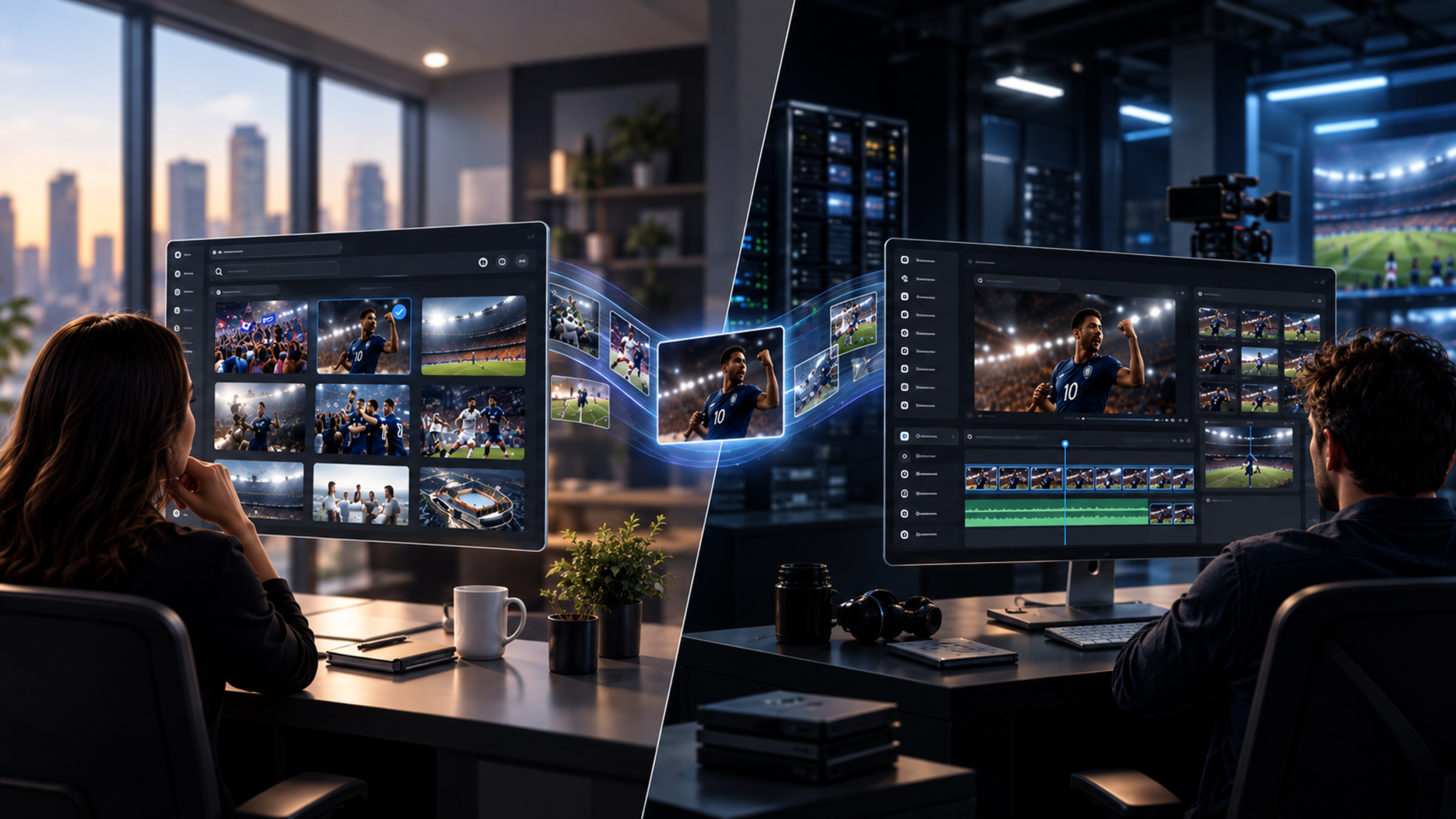
A marketing team looking for the latest approved campaign video and an editor searching through 200 hours of raw footage have very different problems.
Both need to find content. But only one needs to manage everything that happens throughout the video production process.
A Digital Asset Management system (DAM) is typically focused on organizing, governing and distributing approved digital assets. A Media Asset Management system (MAM) goes further into media production, editing, storage, archive and delivery.
There is plenty of overlap. Modern DAM platforms can manage video, and MAM platforms can manage images and documents. So ignore old rules based on file type or size. Start with what your team needs to do with the content.
- DAMs manage approved, finished assets for distribution; MAMs handle rich media especially work-in-progress media across the full production-to-archive lifecycle
- The two systems increasingly overlap on storage, metadata, search, and security, making the distinction more about workflow depth than file type
- MAMs support broader codec coverage, tiered storage, and deeper editorial integrations that DAMs aren't built to handle
- AI is now embedded in both systems, powering auto-tagging, semantic search, transcription, and workflow automation, making metadata quality a key differentiator
- Many teams don't need to choose: unified platforms combine DAM accessibility with MAM production capabilities in a single interface
DAM vs. MAM at a glance
A Digital Asset Management system (DAM) is typically built around organizing, governing and distributing digital content.
A Media Asset Management system (MAM) goes deeper into the production and operational lifecycle of video, audio and other rich media.
A simple way to tell them apart:
A DAM helps answer, “Where is the right asset?”
A MAM also helps answer, “What needs to happen to this media next?”
These are tendencies, not hard product definitions. Some modern DAM platforms have sophisticated video capabilities, while some MAM products offer simple interfaces for non-production users.
The label alone does not tell you whether a system fits. The workflow does.
What does a DAM help you do?
Imagine your sales team needs the latest product video for a customer presentation. Several versions exist, but only one is approved.
A DAM gives them one place to find the right file, check that they are allowed to use it and download the version made for that channel.
That is why DAM is often a good fit for marketing, brand and creative teams. It makes approved content easier to find and reuse. It also helps teams manage versions, permissions, usage rights and expiry dates, so outdated or unapproved work is less likely to appear in public.
A DAM can manage images, documents, design files, audio and video. If your video work mainly begins after editing is complete, a DAM may be all you need.
What does a MAM help you do?
Now imagine a producer needs one goal celebration from thousands of hours of match footage. Finding the correct video file is only the start. The producer may need to find the exact moment, create a smaller copy for editing, send it to an editor, collect feedback, make several output versions and preserve the original in an archive.
A MAM is built for that wider job. It helps video and media teams manage footage while it is still being worked on, not only after it is finished.
This is where features such as proxies, transcripts, timecode, frame-level search, format conversion and connections to editing tools become important. They are not technical extras. They help people find the right moment and get it into production faster.
Where DAM ends, and MAM begins
Find the file vs. find the moment :
A DAM might answer:
“Show me the approved Champions League campaign videos.”
A MAM may also need to answer:
“Show me every moment where this player scores, then only the clips where he celebrates by sitting down.”
That requires understanding what happens inside video through transcripts, scenes, faces, objects, actions and other time-based metadata.
Manage finished asset vs. keep production moving:
DAM workflows often focus on approved content: organize it, review it, share it and reuse it.
MAM goes further into production, supporting source footage, proxies, versions, review, transcoding and final delivery.
The difference is not simply what kind of file you have. It is what needs to happen to that media next.
Connect to creative tools vs. work inside the editing workflow
Both MAM and DAM platforms can integrate with creative applications. The difference is often how deeply.
A DAM may let a designer or editor access approved assets from tools such a Adobe Creative Cloud. a MAM can become a part of the editing workflow itself, letting editors search footage, work with proxies, share projects and relink high-resolution media without constantly moving between systems.
For video-heavy teams, that deeper connection to tools such as Adobe Premiere Pro or Avid Media Composer can be a major distinction.
Store content or manage where it lives
Both DAM and MAM platforms need to know where content lives.
For many DAM workflows, storing an approved asset in a central library or connected storage is enough. A MAM may also need to manage media across active storage, cloud, nearline systems and deep archive.
If an editor needs archived footage, the system may need to know where the source media lives, restore it and make it available to the production workflow.
Storage is therefore not just where the media sits. In a MAM, it can become part of the workflow itself.
Which one do you need?
Choose a DAM-first approach if:
- Your main problem is finding and sharing approved brand or marketing content.
- Most users are in marketing, sales, communications or creative services.
- Video is usually added after it has been edited and approved.
- Rights, versions, brand consistency and publishing are the biggest concerns.
Choose a MAM-first approach if:
- Editors and producers work with source video or audio every day.
- You need proxies, transcripts, exact-moment search or different output formats.
- Media is spread across local storage, cloud storage and archive.
- The system must support work in progress as well as finished content.
You may need both if:
Your media team works with raw footage while marketing, commercial or partner teams need easy access to approved content.
A sports organization, for example, may have editors creating match highlights while commercial teams need approved sponsor footage.
You can connect separate DAM and MAM systems, or choose a converged platform that supports both workflows. The important thing is to avoid duplicate libraries, extra integration work and competing versions of the truth.
How AI changes the comparison
AI is appearing in both DAM and MAM platforms. It can tag content, create transcripts and help people search using everyday language. But the words “AI search” can describe very different experiences.
Ask vendors to show you three things with your own content: keyword search, search that understands related meaning (semantic search), and conversational follow-up that remembers what you asked before. For video, also check whether the system finds the correct moment inside a file, not only the file itself.
Then ask what you can do with the result. Can you add it to a collection, send it for review or move it into an edit? Search creates value when it helps the next piece of work happen.
Five questions to ask before choosing
- What is slowing people down today? Start with real tasks, such as finding old footage, preparing files for remote editors or stopping expired content from being reused.
- Who needs access? Include editors and producers, but also marketers, sales teams, partners, IT and anyone responsible for storage or rights.
- Where does the content live? List the local, cloud and archive locations that need to remain connected and searchable.
- Which tools must it work with? Check the editing, storage, review and publishing tools people already use.
- Can the vendor show your real workflow? Give every shortlisted vendor the same files and the same task. A real demonstration is more useful than a long feature list.
Where Evolphin X fits
Evolphin X is built for video-heavy teams that need MAM capabilities without making the system difficult for everyone else. Teams can search footage in plain language, find exact moments, work with the storage they already have and bring approved content into one shared library.
The aim is simple: producers, editors and business teams should be able to work from the same content without needing separate libraries for every stage of the job.
Explore Evolphin X media asset management or talk to our team about the workflow you need to fix.
.avif)