

AI can take on the repetitive work around the edit, indexing footage, transcribing speech, finding exact moments, preparing proxies and routing routine work while people keep control of story, rights and final approvals.
A producer knows the shot exists. An editor remembers the interview. Someone has seen the exact moment before. But the footage is spread across hours of video, archived projects and different storage locations, and nobody remembers the filename.
That is where AI is becoming genuinely useful in video production.
AI in video production creates the most value when it removes the high-volume operational work around the edit: indexing new footage, transcribing speech, understanding scenes, finding exact moments, preparing proxies and renditions, routing review and surfacing content that may be useful again. It should help people reach a better decision faster, not make every decision for them.
A useful way to think about the new workflow is: Search → Understand → Recommend → Act. Human creative judgment, rights and final approvals sit across all four stages.
Where video production loses time
The edit is only one part of video production. Teams also spend time watching and logging footage, searching across projects, moving files between tools, preparing lighter versions, chasing reviews and rediscovering content they already own.
Those are operational problems more than creative ones. They are also where AI is most useful today.
The goal is not to automate every step. It is to reduce the time people spend searching, sorting, preparing and routing media so they can spend more time making editorial decisions.
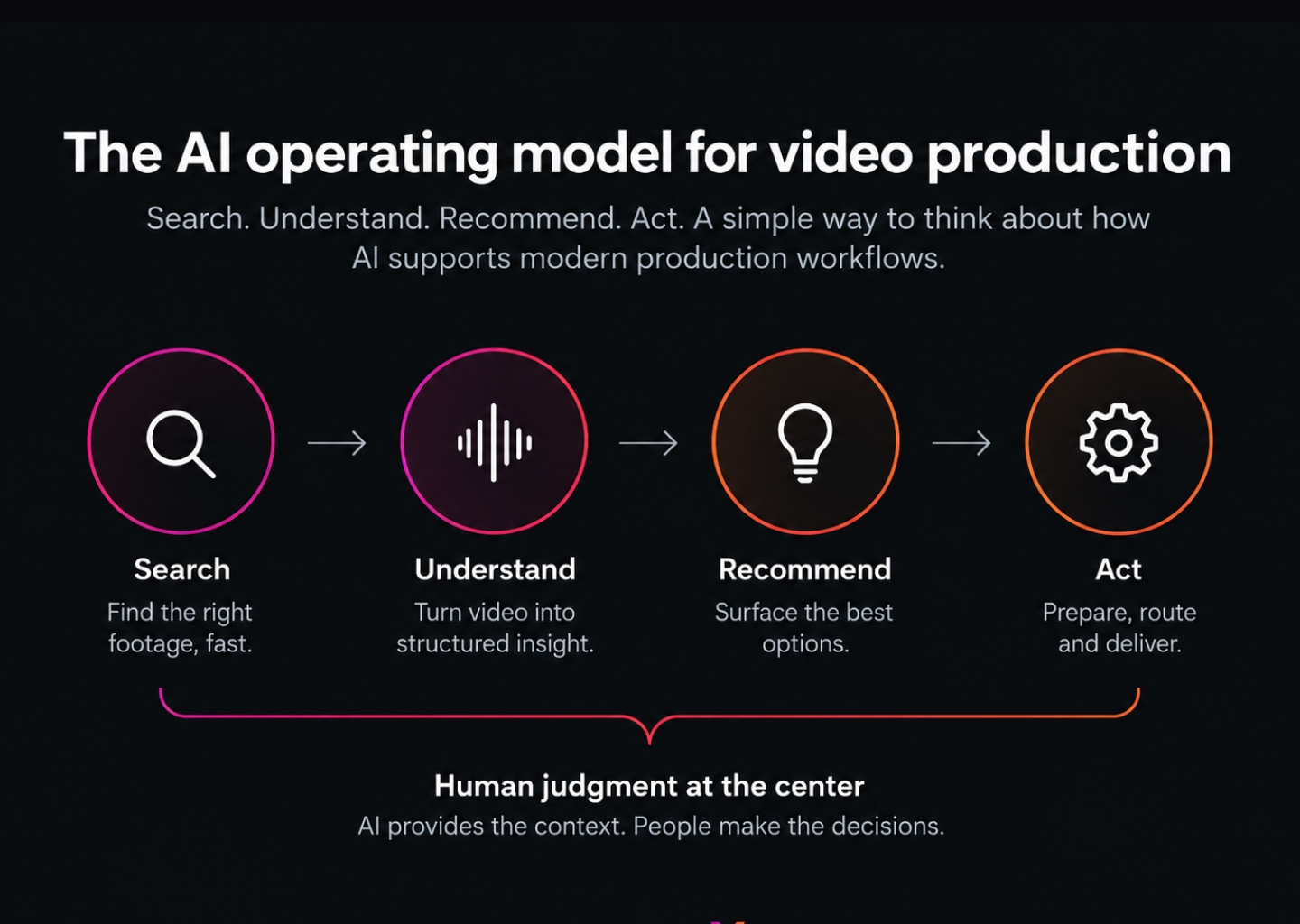
1. Search: find the moment, not just the file
Traditional media search depends heavily on filenames, folders and metadata somebody entered earlier. That works when the person searching knows how the footage was organized. It breaks down when they only remember what happened in the video.
AI changes the starting point. A producer can search for “the interview where the CEO talks about the European launch” or “the player celebrating after the winning goal” without knowing the filename or exact tag.
Useful AI video search can combine several signals: spoken words from transcripts, visual content, recognized people or logos, on-screen text and existing metadata. Visual search can also help someone start with a reference image and find similar shots.
The important part is not simply returning more results. Search should preserve the context around the asset: project, version, rights state and permissions. Finding a clip faster is not useful if the user is not allowed to see or reuse it.
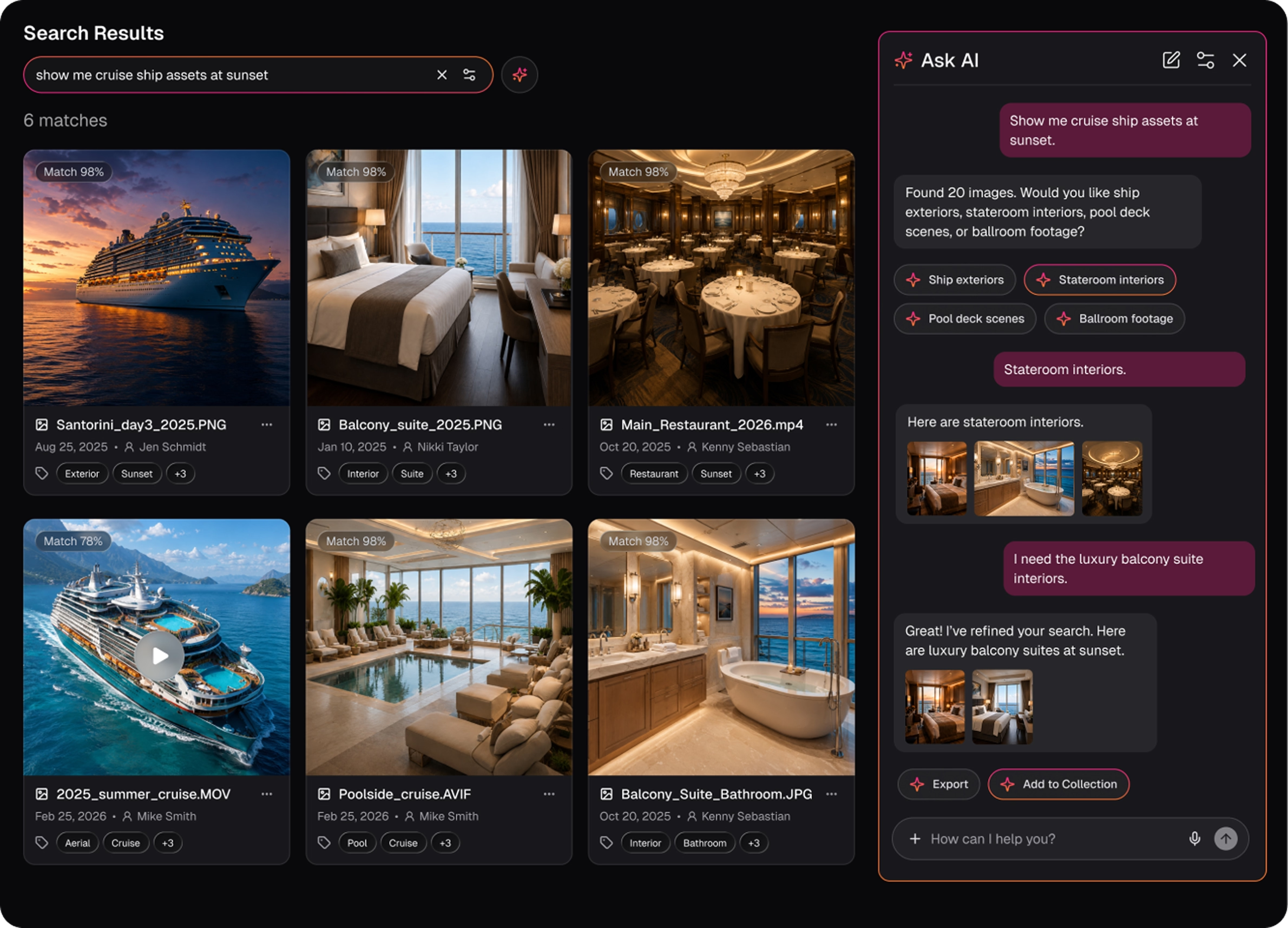
2. Understand: turn footage into usable context
Search improves when the system understands more than the file name.
At ingest, AI can generate transcripts, identify objects, faces, logos and on-screen text, detect scenes or chapters and capture technical information. For video teams, that turns a long file into a set of searchable moments rather than a single opaque asset.
This does not mean every AI-generated label should become unquestioned metadata. Some information is low risk and easy to automate. Other information, particularly identity, rights or sensitive classifications, deserves review.
The practical model is to let machines handle volume and let people validate the information where accuracy matters most.

3. Recommend: surface useful options without making the creative call
Once a system can search and understand media, the next step is recommendation.
That might mean surfacing related shots, alternate angles, likely selects, older footage that could be reused or content connected to the project an editor is already working on. A producer searching for one interview moment could also be shown related B-roll or another relevant statement from the same subject.
This is where AI starts to move beyond retrieval. Instead of waiting for a perfect query, the system can help people see useful options they may not have known existed.
But recommendation should remain exactly that: a recommendation. An AI model does not understand the final story, brand nuance or emotional purpose of a scene in the same way the editor and producer do. It can reduce the search space. People still decide what belongs in the cut.
4. Act: automate repeatable work around the decision
The most interesting shift is from AI that only finds information to AI that can take a governed action.
Some actions are already straightforward: create a proxy, generate a rendition, transcode an approved file, route a version for review, apply a rule or restrict an expired asset. Other actions, such as automatically reframing content or choosing the next production step, require more context and stronger approval controls.
The principle is simple: the more consequential the action, the clearer the guardrails need to be.
Permissions should determine what the AI can access. Rights should determine what can be used. Workflow state should determine what is ready to move forward. Important actions should be reviewable, correctable and attributable.
That is the difference between useful automation and an AI layer operating outside the production process.
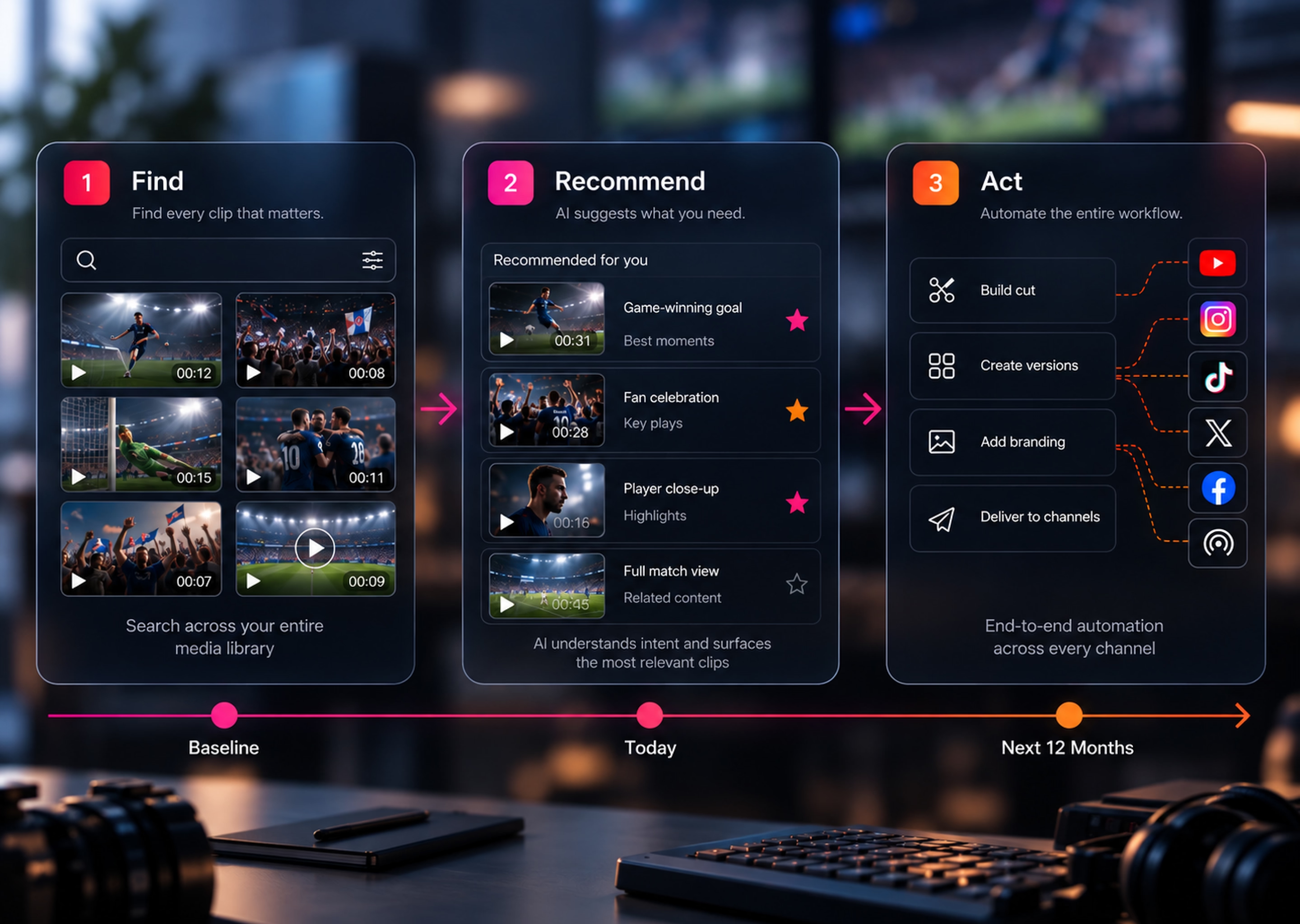
A realistic AI-assisted video production workflow
Imagine a team has just received several hours of interviews and B-roll for a new campaign.
First, the footage enters the media library. AI creates transcripts, identifies scenes and adds searchable visual context while technical metadata is captured automatically.
A producer then searches in natural language for “the customer explaining why they switched providers.” Instead of scrubbing every interview, the team jumps to the matching moments and adds the strongest candidates to a collection or edit.
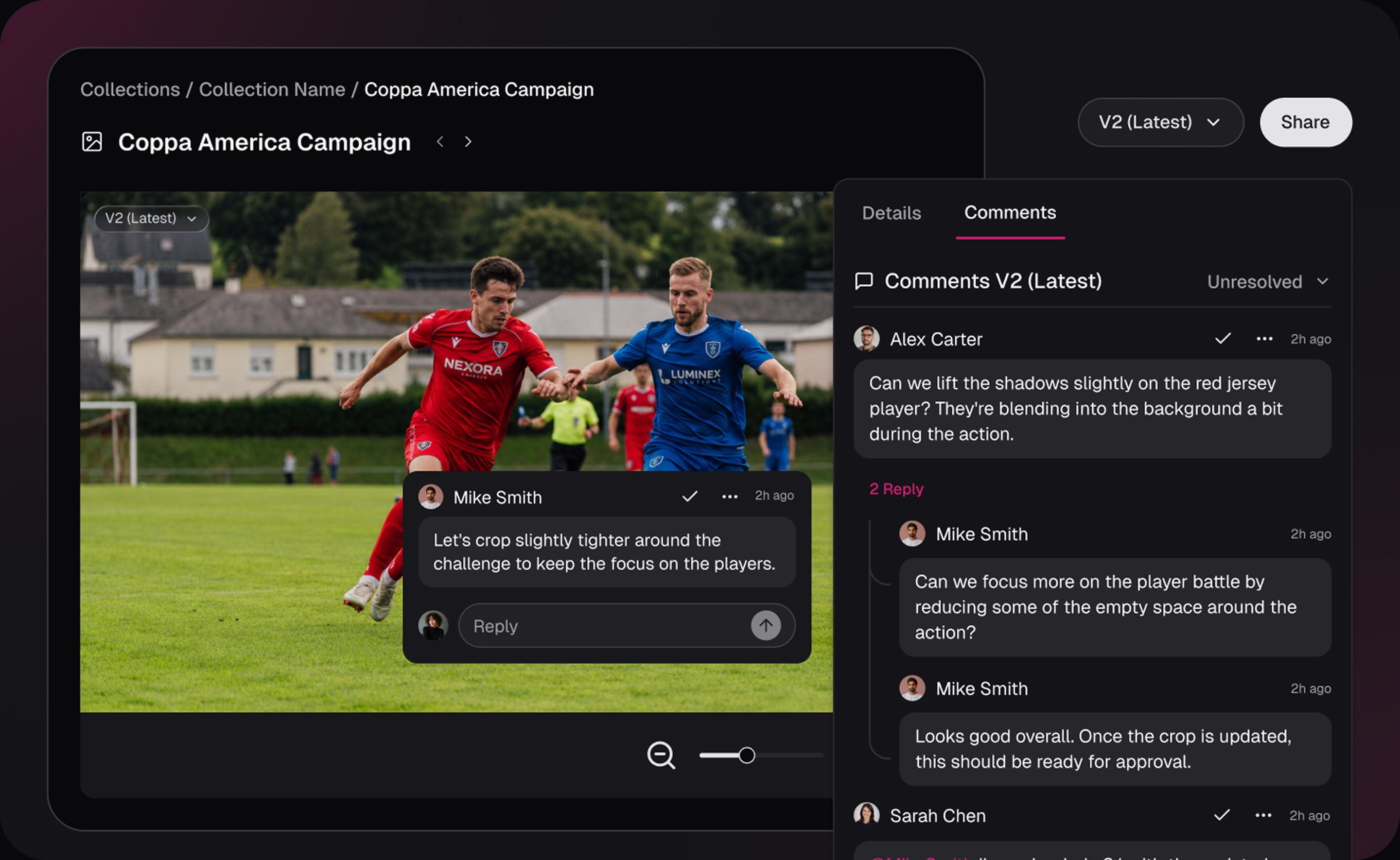
The editor works from proxies rather than moving every high-resolution original. Related footage can be surfaced as optional B-roll, but the editor chooses the actual sequence and pacing.
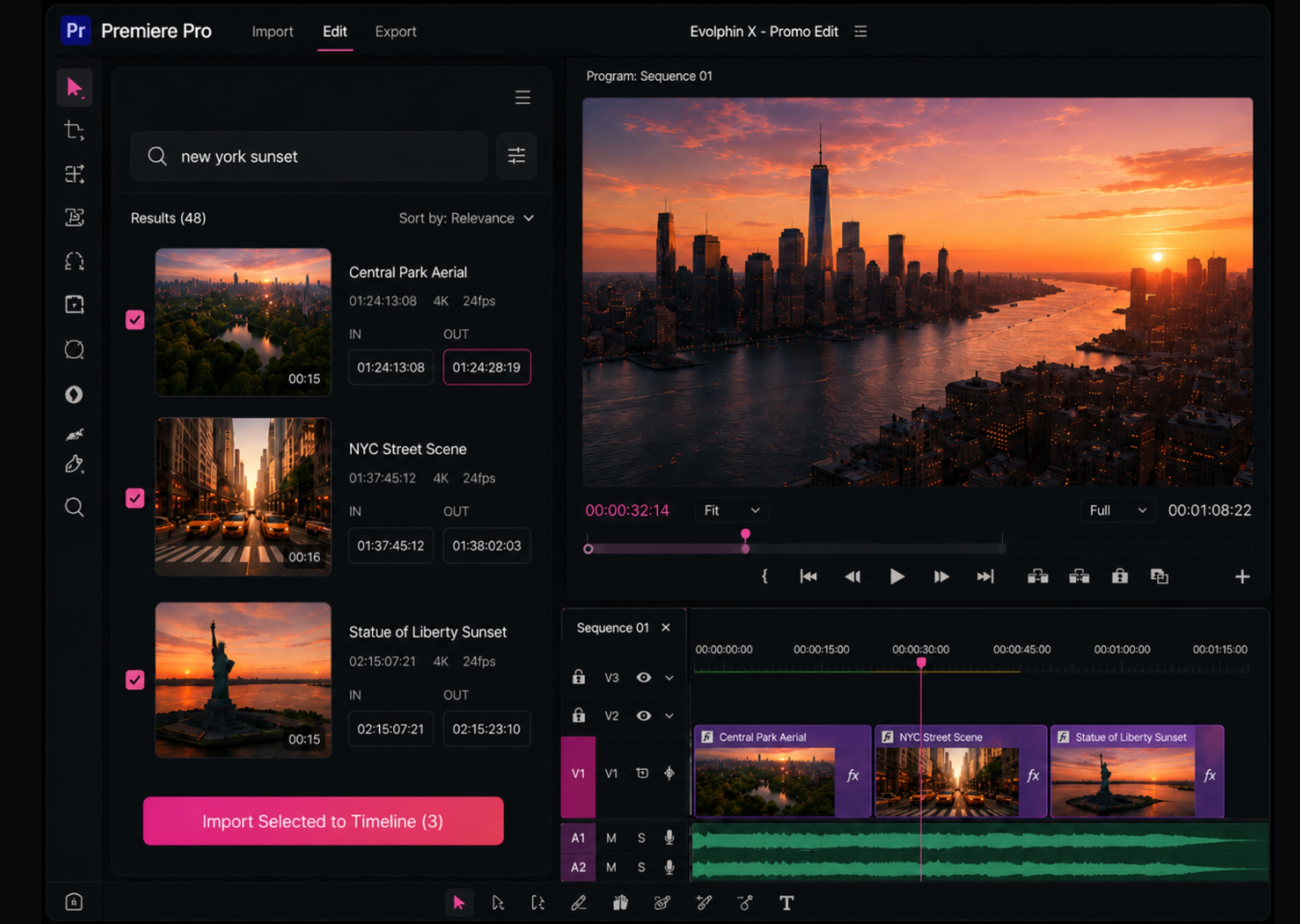
When a version is ready, the workflow routes it for review. After approval, the right rendition is prepared for delivery and the final asset remains connected to its source, metadata, rights and project history so it can be found again later.
Real example: In Evolphin's Inter Milan case study, 21,000 hours of video were ingested from multiple storage and legacy systems, proxies were generated and AI processing included speech-to-text, logo detection and face recognition. Editors could find specific moments and work with media from inside Adobe tools rather than searching across disconnected drives. Read the Inter Milan case study
What AI should not decide alone
A good AI workflow is defined partly by what stays human.
Final creative direction should remain with editors, producers and creative leads. Story, tone, pacing and what a moment means in context are judgment calls.
Ambiguous rights should be reviewed by people. If a license, territory, talent release or exception is unclear, faster automation should not become faster misuse.
Sensitive identity decisions deserve extra care. Face recognition and personal data can be useful in controlled media libraries, but teams need clear policies about when that information is collected, surfaced and acted on.
High-stakes legal, compliance or brand exceptions should also keep an explicit human approval step. This aligns with broader AI risk-management guidance that treats human oversight, privacy, explainability and continuous evaluation as part of trustworthy AI use.
How to prepare your MAM for AI
AI works better when the media operation underneath it is clear.
- Start with a metadata baseline. Keep required human-entered fields small, but make sure project, owner, rights and workflow status are structured.
- Set permissions before expanding discovery. AI search should not expose media a user would not otherwise be allowed to access.
- Make workflow states machine-readable. The system should know the difference between new, in review, approved, expired, archived and ready for delivery.
- Test with real questions. Use searches and workflows based on what producers and editors genuinely need to do, not demo queries designed to make the AI look good.
- Create a feedback loop. People need an easy way to correct metadata, reject poor recommendations and improve the workflow over time.
How to evaluate AI for a video production workflow
Before adding another AI tool, ask whether it improves the work around your media, not simply whether the demo looks impressive.
- Granularity: Can it find a file, a scene, a chapter or an exact moment?
- Inputs: Does it understand speech, visual content, on-screen text and your existing metadata?
- Correction: Can people fix inaccurate metadata or poor recommendations?
- Governance: Do permissions, rights and workflow state shape what the AI can return or do?
- Workflow fit: Can the result move naturally into editing, review, delivery or archive without another download-and-upload loop?
- Performance and cost: How quickly does analysis run, what does it cost at your volume and what happens as the archive grows?
- Outcome: Does it reduce time-to-find, manual logging, preparation work or unnecessary recreation of footage?
Where Evolphin X fits

Evolphin X is being built around this progression from Search → Understand → Recommend → Act.
Today, Evolphin X supports natural-language and conversational search, visual search, transcript search, facial recognition, logo detection and OCR. Media can be enriched at ingest with frame-level visual and audio context, along with scenes, chapters and summaries. Teams can work with proxies and Adobe production workflows, keep existing storage through BYOS and apply controls such as rights expiry that can automatically lock an asset when its permitted usage window ends.
Recommendations and Smart Transformations represent the next layer of that model and are currently presented as coming capabilities, not as generally available features. That distinction matters: the goal is not to pretend the media library is autonomous today, but to build the governed context that makes more useful automation possible over time.
The direction is a media library that does more than store and search. It understands the content, helps people decide what is useful and can eventually take more routine actions within the rules the team has already set.
.avif)