


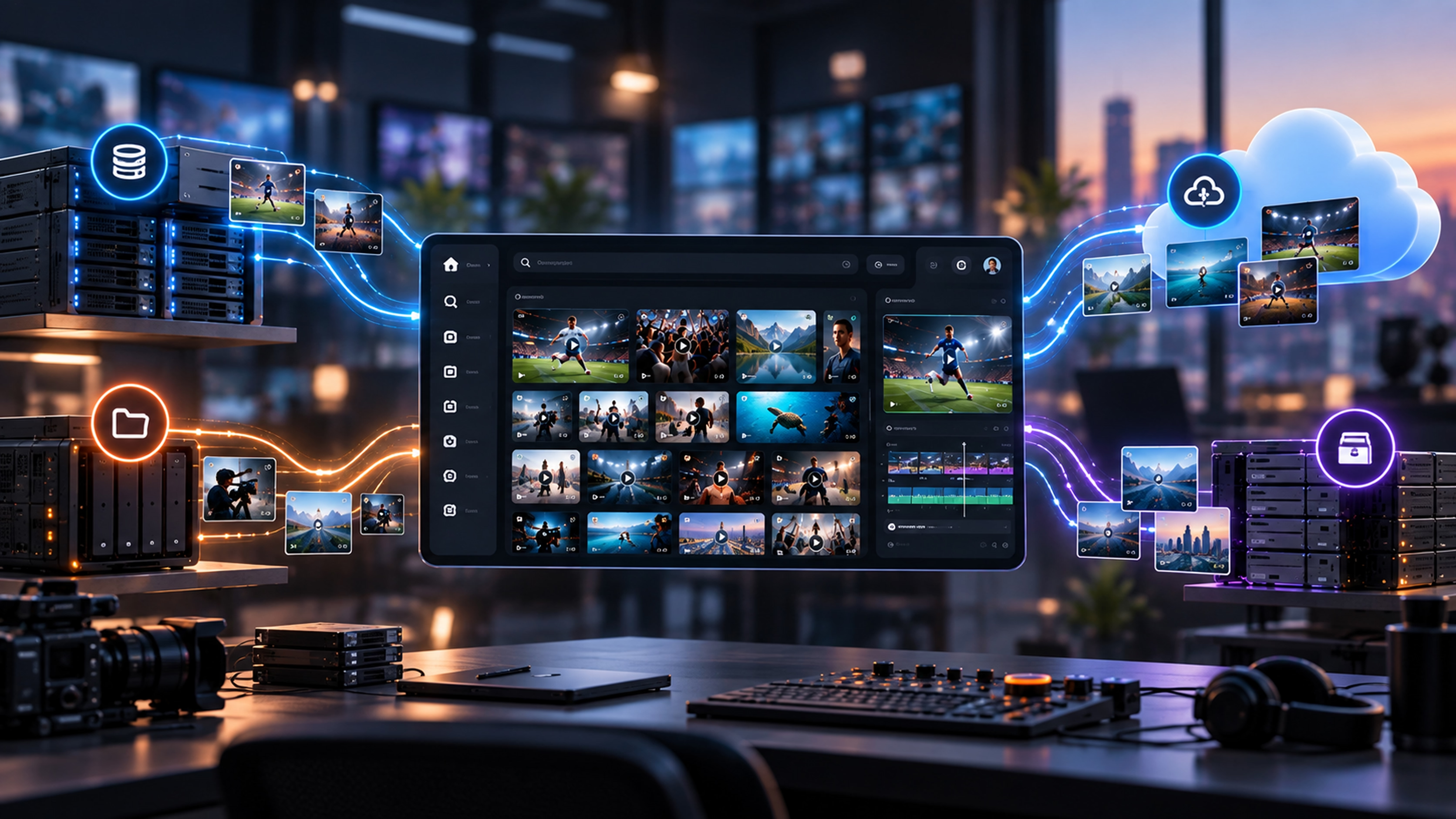
The best media asset management storage strategy is no longer “move everything to one place.” It is to keep media where performance, cost, security and retention make sense while the MAM gives teams one searchable, governed view across it all.
A production team rarely has one storage problem. It has fast storage for the edit, shared storage for current work, cloud buckets for distributed teams, older masters in an archive tier and a few drives nobody wants to unplug.
That is why modern media asset management storage should be designed as an access and lifecycle architecture, not as one giant repository.
The goal is simple: active media should be fast, nearline media economical, archived originals durable and retrievable — and users should not need to know where a file lives before they can find it.
For 2026, that flexibility matters even more. Higher-resolution media keeps storage demand growing, distributed production makes remote access normal, and teams are scrutinizing cloud egress and retrieval costs more closely. Media-and-entertainment storage research still shows a mixed environment because different stages of the workflow need different things.
Key takeaways
- Separate deployment, storage interface and lifecycle tier before comparing vendors.
- Hybrid is often the practical answer because active production, remote access and archive have different needs.
- Compare storage on retrieval, transfer, operations and exit costs — not price per TB alone.
- Your MAM should give users one searchable view without forcing every file into one proprietary repository.
Start with the three storage decisions people often mix together
“Cloud versus on-premises” is only one decision. A useful storage design separates three questions.
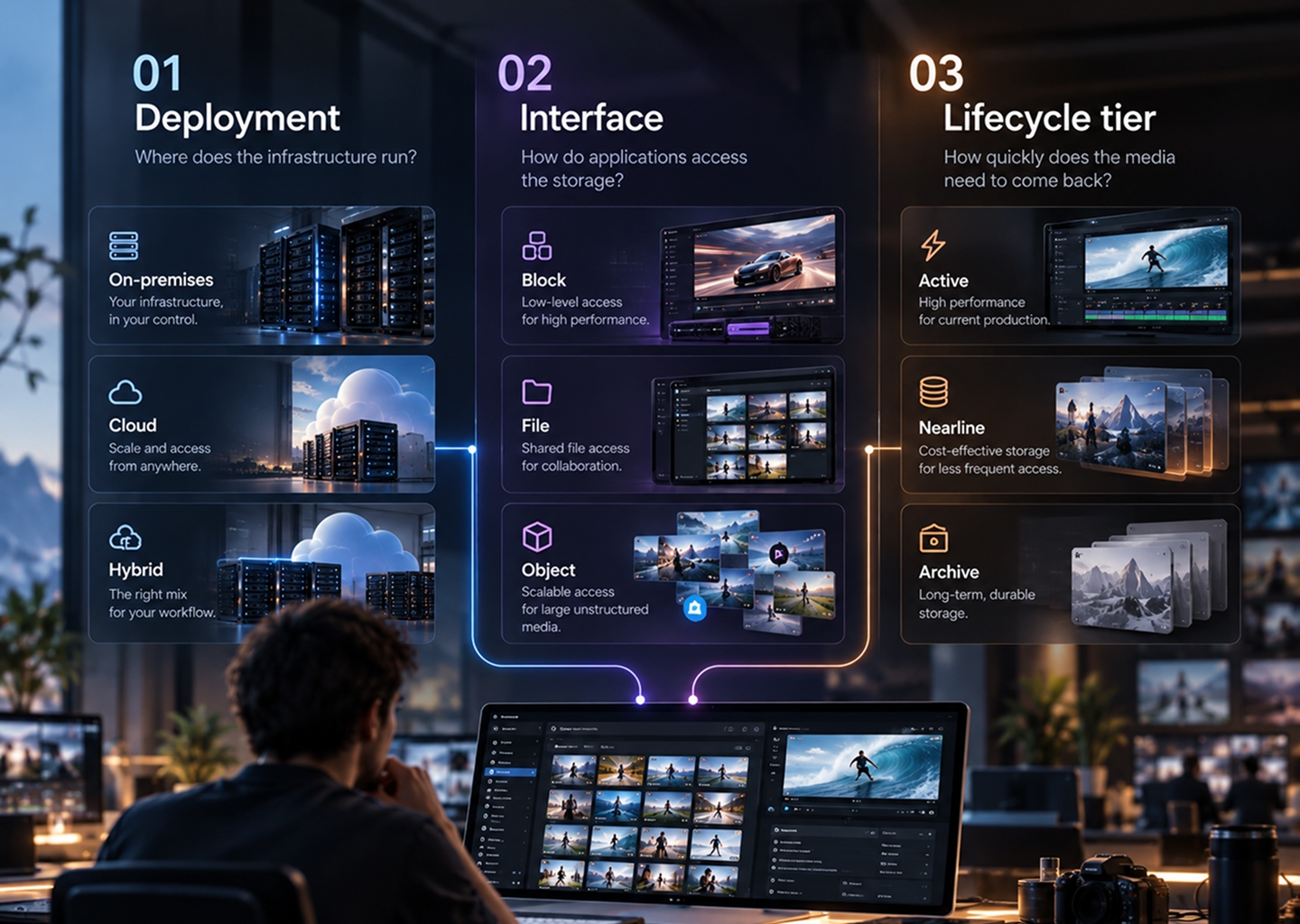
These choices are related, but not interchangeable. Object storage can run on-premises; file storage can run in the cloud; a hybrid deployment can contain several lifecycle tiers at once.
Teams often overspend by treating one requirement as if it applies to the whole library. Storage that makes sense for multicam finishing is rarely what you should pay for indefinitely after delivery.
What is changing in media storage in 2026
Four trends are shaping better storage decisions
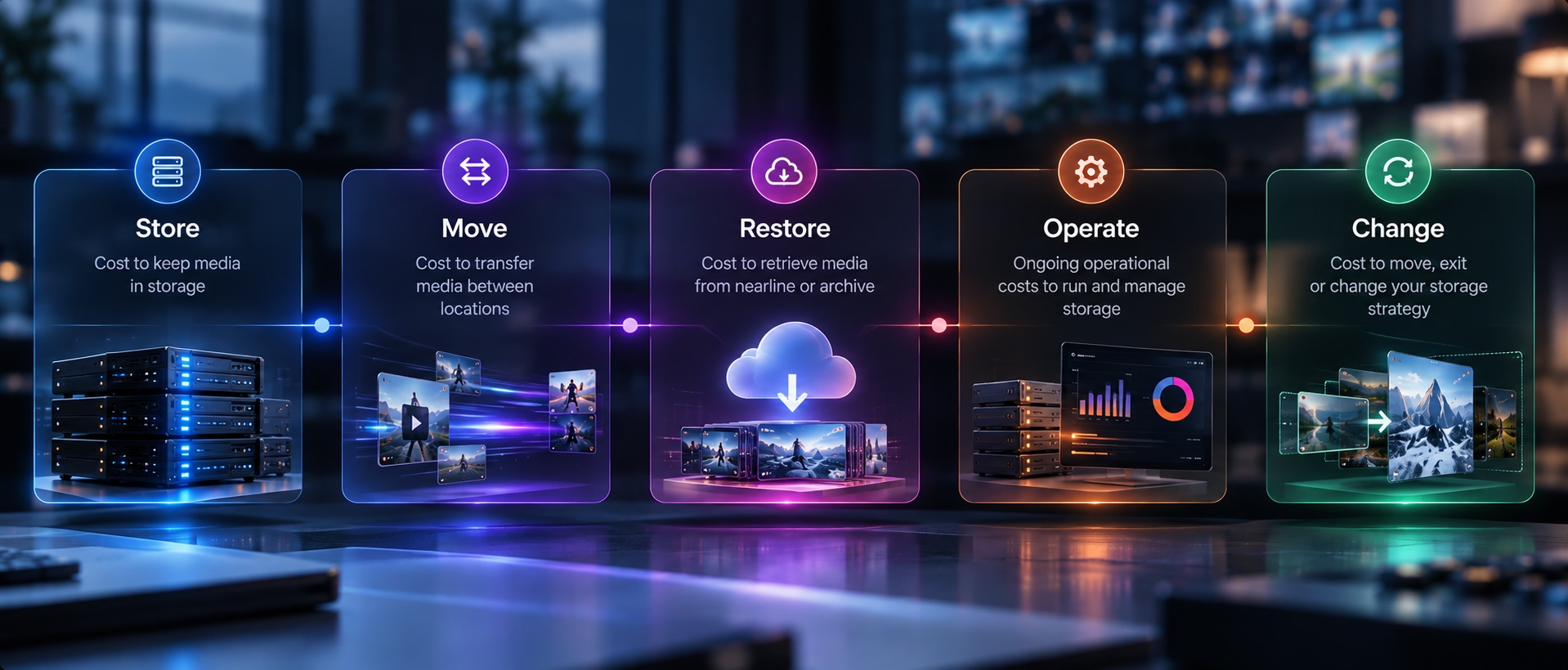
Hybrid is becoming a placement strategy. Teams are deciding where a workload belongs instead of assuming every byte must eventually move to the same environment. Local storage still matters for latency and sustained throughput; cloud remains valuable for elasticity and distributed access.
Cloud cost conversations are getting more sophisticated. Cost per TB is only the starting point. Requests, data transfer, retrieval and minimum storage durations can all change the economics. AWS documents different restore behavior across S3 archive classes rather than one universal “cold storage” experience.
Object storage is becoming a larger part of media infrastructure. It fits very large unstructured libraries well, but file workflows are not disappearing: editors and creative applications still commonly expect file semantics. Many practical architectures use both.
An archive is expected to stay discoverable. The high-resolution original may be cold, but its metadata, proxy and location record should remain visible. AI search makes this even more important: an archive that cannot be indexed or previewed is much less useful as a creative resource.
Active production storage: optimize for the edit
Active production storage is where generalized advice breaks down fastest.
The requirement is not simply “4K needs fast storage.” Performance depends on codec, bitrate, simultaneous streams, caching and how many editors are hitting the system at once.
For active media, evaluate:
- sustained throughput under real concurrent load, not just headline interface speed;
- latency while scrubbing, seeking and opening media;
- the number of simultaneous edit streams you need to support;
- NLE behavior and whether the workflow expects block or file access;
- resilience if a node, disk or network path fails;
- whether remote editors work from originals, proxies or cloud workstations.
That is why on-premises NAS or SAN still has a role in post-production, and why proxies matter: remote users do not always need the original to start creative work.
Archive storage: optimize for preservation and retrieval
Archive design starts with a different question: what do we need to preserve, and how quickly must we be able to get it back?
A useful archive policy defines retention and rights requirements, expected retrieval frequency, restore-time objectives, integrity checks, immutability where required, redundant copies and what happens when formats or storage vendors change.
Do not confuse backup with archive. Backup supports recovery after failure; archive preserves content for later use, compliancermr monetization. Many organizations need both.
LTO is not “obsolete.” Tape can still suit long-temedia asset management storagerm, offline or air-gapped preservation; the tradeoff is cataloging, restore time, media refresh and off-site handling.
On-premises storage options: DAS, NAS and SAN
The key is to avoid turning premium production storage into permanent archive storage simply because that is where the file started.
Cloud storage options: object, file and block
Cloud object storage deserves special attention because “archive” now covers multiple behaviors. Some classes are immediately accessible; others require a restore. AWS documents Glacier Flexible Retrieval standard restores in hours, while Deep Archive can take longer, with minimum storage-duration rules as well. Those details belong in workflow design, not a procurement footnote.
Cloud vs on-premises vs hybrid: the decision is about fit
For many media teams, hybrid fits because the media lifecycle itself is hybrid. The same project can need fast local access this week, remote proxy access next month and low-cost archive for years.
A practical tiering model: hot access, cold originals
A simple policy might look like this:
Active production: high-resolution originals remain on storage suited to editing. Proxies are generated immediately for remote or lower-bandwidth work.
Nearline: after delivery, masters move to a more economical disk or object tier but remain relatively quick to retrieve.
Archive: long-lived originals move to deep archive or preservation storage according to retention and restore requirements.
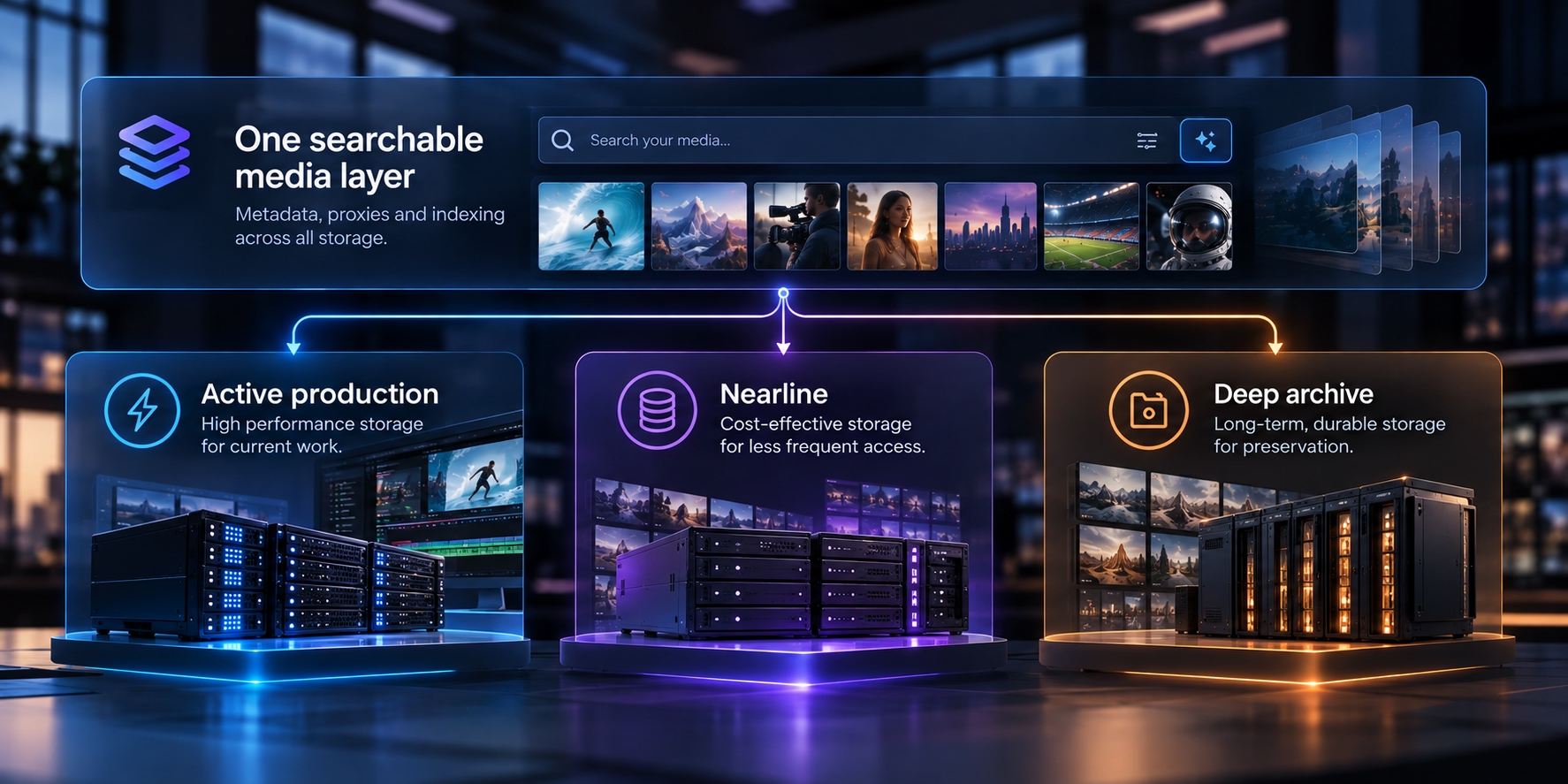
Across all three, the MAM keeps metadata, proxies, permissions, rights and location information available.
An editor should be able to search, preview and decide whether an old shot is useful before anyone initiates a high-resolution restore.
How a MAM should coordinate storage
A modern MAM should sit above storage choices rather than force them.
That means it should search across locations, keep proxies connected to masters, track lifecycle state, apply movement policies, avoid unnecessary duplication and preserve permissions, rights and audit history as media moves between tiers.
This is where “bring your own storage” becomes more than a procurement slogan: changing MAM software should not automatically mean changing every storage decision you already made.
Three reference architectures
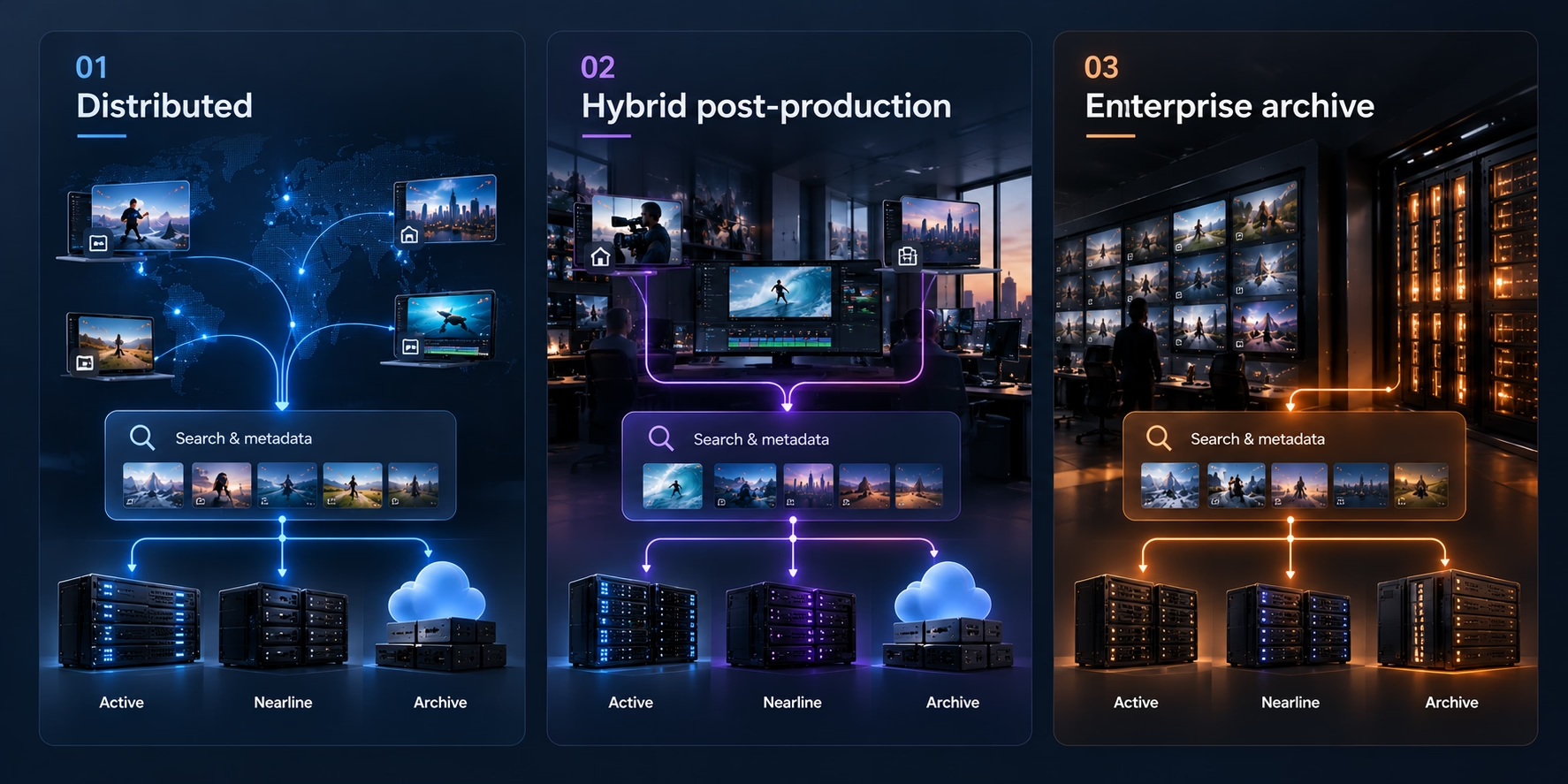
1. Small distributed team
Keep originals in cloud object storage, generate proxies for everyday browsing and editing, and restore or download high-resolution files only when required. This minimizes infrastructure ownership while keeping remote work simple.
2. Hybrid post-production facility
Keep active originals on a high-performance NAS or SAN, use cloud object storage for nearline copies or disaster recovery, and make proxies available remotely. Editors close to the facility get local performance; distributed users still see the same library.
3. Enterprise media archive
Index several storage locations under one MAM, separate active, nearline and preservation tiers, maintain redundant copies, and add fixity, immutability and format-migration policies where the collection requires them.
The point is that storage architecture should follow the workload and remain changeable as the workload changes.
Storage planning checklist
Before choosing storage or a MAM, answer these questions:
- How much media do we have today, and how fast is it growing?
- What percentage is actively edited versus rarely accessed?
- What codecs, bitrates and concurrent streams must production support?
- How quickly must archived originals be restored?
- Which content has legal, rights, residency or retention requirements?
- What are the expected cloud transfer and retrieval patterns?
- Do we need an offline or immutable preservation copy?
- Can editors work from proxies while originals remain cold?
- Can the MAM index storage in place, or does it require migration?
- What happens if we change storage vendors or MAM platforms later?
A cheaper storage choice today can become expensive if the exit path is difficult.
Where Evolphin X fits
Evolphin X is built around the idea that the media library and the storage layer do not have to be the same thing. It can connect to storage teams already own, including cloud, NAS, on-premises and hybrid infrastructure, and index media where it lives instead of requiring a wholesale migration into a proprietary repository.
For teams that prefer managed storage, the product also positions tiering between the active library and archive as a managed policy rather than a manual storage project.
That is the direction modern MAM storage is moving: one searchable media operation, with more freedom underneath it.

.avif)